
PHP MVC Architecture Explained Simply
PHP has been around for a long time, and one of the biggest reasons it still remains relevant is that it can adapt to many different styles of application design. You can write a small script in a single file, build a simple website with a few included PHP pages, or create a large and maintainable application using a structured architecture. Among all the patterns used in PHP development, MVC is one of the most important, because it gives your project a clear shape and helps you avoid the chaos that often appears when a codebase grows too quickly.
When people first hear the term “MVC,” it can sound more complicated than it really is. The good news is that the idea behind it is very human and very practical. Imagine building a small house. You would not put the kitchen inside the bedroom, and you would not place all the plumbing in the living room just because it was easier in the moment. You divide responsibilities so each part has a clear purpose. MVC does the same thing for your PHP application. It separates the data logic, the user interface, and the request handling into different layers so that your project is easier to understand, update, test, and extend.
Many beginners start PHP by placing everything in one file: HTML, database queries, validation, calculations, and page logic all mixed together. That approach works at first, and honestly, it is how many developers begin their journey. But after a while, the file becomes hard to read, changes become risky, and even a small update can feel like opening a box full of tangled cables. MVC helps solve that problem. It gives your code a structure that feels cleaner, more professional, and much easier to maintain over time.
In this article, we will explain PHP MVC in a simple and friendly way. We will look at what each part does, how the pieces work together, how a request travels through the application, and how you can build a small PHP MVC example yourself. We will also talk about common mistakes, best practices, and why this architecture is still so useful for modern web development.
What MVC Means
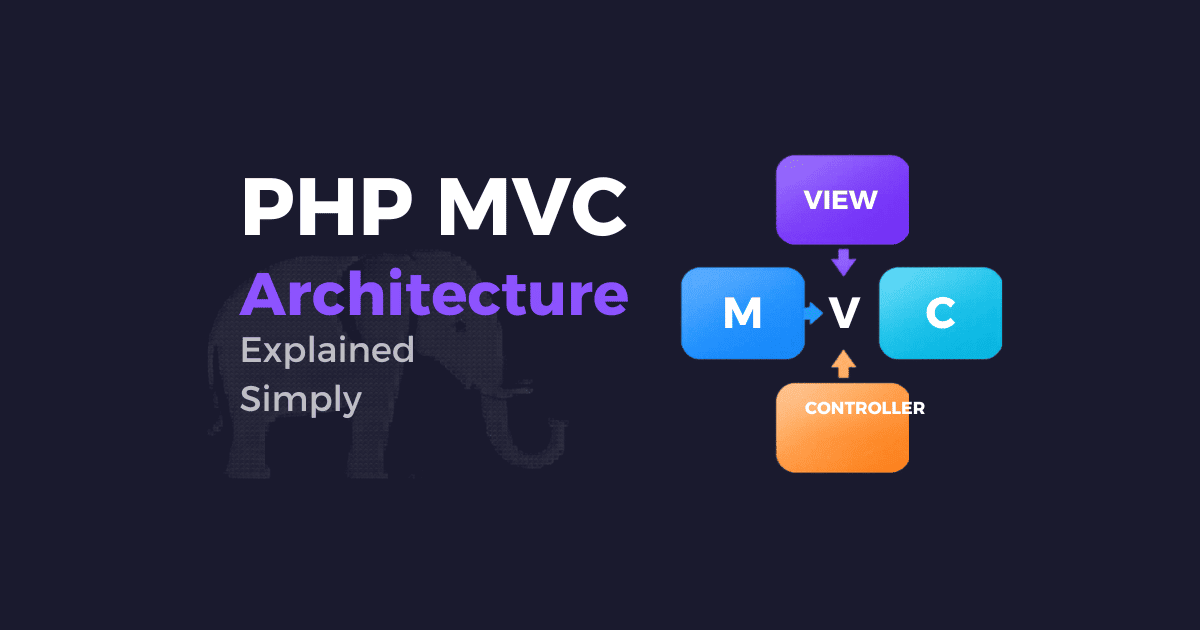
MVC stands for Model, View, Controller. These three words describe three different responsibilities inside your application.
The Model handles the data and business rules. It usually talks to the database, fetches records, saves changes, and represents the information your application uses. In simple terms, the model is the part that knows what your data is and how it behaves.
The View is what the user sees. It is the presentation layer, usually made of HTML, CSS, and sometimes some light PHP for displaying dynamic values. The view should focus on showing information, not deciding how the application works internally.
The Controller acts like the coordinator. It receives the user’s request, asks the model for the needed data, processes input when necessary, and then chooses which view should be displayed. The controller is the middle layer that connects everything together.
A simple way to think about MVC is this: the user makes a request, the controller handles it, the model manages the data, and the view displays the result. That sounds very basic, but that simplicity is exactly what makes MVC so powerful. It lets you keep each responsibility in its place instead of stuffing everything into one giant script.
Why MVC Matters in PHP
PHP is flexible, and that flexibility is a blessing and a curse. It allows you to build quickly, but it can also lead to unorganized code if you are not careful. MVC helps bring discipline to that flexibility. When your application grows, the benefits become very clear.
First, it improves readability. When someone opens your project, they can quickly understand where the logic lives, where the templates live, and where the database code lives. That alone saves time and reduces confusion.
Second, it makes maintenance easier. Suppose you want to redesign the page layout. In a well-structured MVC app, you mostly work in the views. Suppose you want to change how a product is saved in the database. You look at the model. Suppose you want to alter how a request is handled. You update the controller. Each change stays in its own area instead of spreading across the whole project.
Third, it makes teamwork easier. In a larger team, one developer can focus on the front end views while another works on the database layer and another handles controllers or routing. The separation reduces conflicts and makes collaboration smoother.
Fourth, it helps testing. Because responsibilities are separated, you can test individual parts more easily. A model can be tested for data logic, a controller can be tested for request flow, and a view can be checked for correct output.
Finally, MVC prepares you for frameworks. Popular PHP frameworks like Laravel, Symfony, and CodeIgniter are built around structured architectural ideas, and MVC is a big part of that world. Learning it early makes framework work much easier later.
The Model in Simple Words
The model is often the most misunderstood part for beginners, because people assume it is just a class that talks to the database. That is part of it, but not the whole story. A model represents the data of the application and the rules around that data. It may fetch users, create orders, update articles, validate certain fields, or calculate values before saving them.
A model should not know anything about HTML design. It should not echo buttons or print page titles. It should deal with information and rules. That is what keeps your business logic separate from your interface.
Here is a simple example of a PHP model for a user:
<?php

class User
{
    private PDO $db;

    public function __construct(PDO $db)
    {
        $this->db = $db;
    }

    public function getAllUsers(): array
    {
        $stmt = $this->db->prepare("SELECT id, name, email FROM users ORDER BY id DESC");
        $stmt->execute();

        return $stmt->fetchAll(PDO::FETCH_ASSOC);
    }

    public function findUserById(int $id): ?array
    {
        $stmt = $this->db->prepare("SELECT id, name, email FROM users WHERE id = :id LIMIT 1");
        $stmt->execute(['id' => $id]);

        $user = $stmt->fetch(PDO::FETCH_ASSOC);

        return $user ?: null;
    }

    public function createUser(string $name, string $email): bool
    {
        $stmt = $this->db->prepare("INSERT INTO users (name, email) VALUES (:name, :email)");
        return $stmt->execute([
            'name' => $name,
            'email' => $email
        ]);
    }
}
This model does one thing well: it works with user data. It does not care how the data will appear on the screen. It does not handle form submission directly. It simply provides a clean way to interact with the users table.
That may seem small, but in a real project it becomes very useful. Imagine hundreds of lines of SQL scattered across your views and controllers. A model helps centralize that logic in one place.
The View in Simple Words
The view is the part that the user sees. It is the visual output of your application. In PHP, views are often plain HTML files with small PHP echo statements to display dynamic content. The job of the view is to present data, not to decide how to fetch it or how to store it.
A good view should be easy to read. It should contain the markup and presentation logic only. That means it can loop through data or show a variable, but it should not contain database queries or deep business logic.
Here is a simple PHP view that displays a list of users:
<!DOCTYPE html>
<html lang="en">
<head>
    <meta charset="UTF-8">
    <title>User List</title>
</head>
<body>
    <h1>Users</h1>

    <?php if (!empty($users)): ?>
        <ul>
            <?php foreach ($users as $user): ?>
                <li>
                    <?= htmlspecialchars($user['name']) ?>
                    - <?= htmlspecialchars($user['email']) ?>
                </li>
            <?php endforeach; ?>
        </ul>
    <?php else: ?>
        <p>No users found.</p>
    <?php endif; ?>
</body>
</html>
Notice how the view receives data and displays it. It does not talk to the database directly. It does not know how the data was loaded. It simply focuses on output.
That separation is important because it gives your interface more flexibility. You can redesign the page, change the layout, or move to a different HTML structure without touching the database code. This makes development much less painful.
The Controller in Simple Words
The controller is the organizer. It receives input from the user, decides what should happen, interacts with the model when needed, and returns the correct view. In a web application, a controller often responds to URLs such as /users, /users/show/5, or /posts/create.
The controller is not supposed to be too “smart.” It should not contain all your business logic. Its role is to coordinate, not to become a giant file full of everything. A controller should stay readable and focused.
Here is a simple example:
<?php

class UserController
{
    private User $userModel;

    public function __construct(User $userModel)
    {
        $this->userModel = $userModel;
    }

    public function index(): void
    {
        $users = $this->userModel->getAllUsers();
        require __DIR__ . '/../views/users/index.php';
    }

    public function show(int $id): void
    {
        $user = $this->userModel->findUserById($id);

        if (!$user) {
            http_response_code(404);
            echo "User not found";
            return;
        }

        require __DIR__ . '/../views/users/show.php';
    }

    public function store(): void
    {
        $name = trim($_POST['name'] ?? '');
        $email = trim($_POST['email'] ?? '');

        if ($name === '' || $email === '') {
            echo "Please fill in all fields.";
            return;
        }

        $this->userModel->createUser($name, $email);
        header("Location: /users");
        exit;
    }
}
This controller handles requests and connects them to the model. It also decides what should happen next, such as redirecting the user after a form submission. That is the essence of the controller: it makes the application flow move in a structured way.
How a Request Flows in MVC
One of the best ways to understand MVC is to follow a request from beginning to end.
A user opens a URL in the browser, such as /users. The web server sends that request into your PHP application. The application looks at the URL and decides which controller should handle it. The controller then asks the model for the data it needs. The model queries the database and returns the information. The controller receives the data and passes it to the view. The view renders the HTML. Finally, the browser displays the page to the user.
This flow creates a clean separation of concerns. Each layer knows only what it needs to know. The browser does not directly talk to the database. The model does not print HTML. The view does not decide how data is loaded. The controller acts as the bridge between them.
That may sound a little formal at first, but once you see it in practice, it becomes natural. It is simply a way of keeping your code organized so each part does one job well.
A Very Small PHP MVC Example
Now let us build a tiny example to show the full structure in a simple way. We will imagine a basic application that lists users.
A common folder structure might look like this:
project/
│
├── app/
│   ├── controllers/
│   │   └── UserController.php
│   ├── models/
│   │   └── User.php
│   └── views/
│       └── users/
│           ├── index.php
│           └── show.php
│
├── public/
│   └── index.php
│
└── config/
    └── database.php
This structure is not the only possible one, but it shows the idea clearly. Controllers live in one place, models in another, views in another, and the public entry point is separated from the application logic.
Here is a simple database connection file:
<?php

// config/database.php

$host = 'localhost';
$dbname = 'mvc_app';
$username = 'root';
$password = '';

try {
    $pdo = new PDO(
        "mysql:host=$host;dbname=$dbname;charset=utf8mb4",
        $username,
        $password,
        [
            PDO::ATTR_ERRMODE => PDO::ERRMODE_EXCEPTION
        ]
    );
} catch (PDOException $e) {
    die("Database connection failed: " . $e->getMessage());
}
Now here is the model:
<?php

// app/models/User.php

class User
{
    private PDO $db;

    public function __construct(PDO $db)
    {
        $this->db = $db;
    }

    public function getAllUsers(): array
    {
        $stmt = $this->db->query("SELECT id, name, email FROM users ORDER BY id DESC");
        return $stmt->fetchAll(PDO::FETCH_ASSOC);
    }

    public function findUserById(int $id): ?array
    {
        $stmt = $this->db->prepare("SELECT id, name, email FROM users WHERE id = :id");
        $stmt->execute(['id' => $id]);

        $user = $stmt->fetch(PDO::FETCH_ASSOC);
        return $user ?: null;
    }
}
Here is the controller:
<?php

// app/controllers/UserController.php

class UserController
{
    private User $userModel;

    public function __construct(User $userModel)
    {
        $this->userModel = $userModel;
    }

    public function index(): void
    {
        $users = $this->userModel->getAllUsers();
        require __DIR__ . '/../views/users/index.php';
    }

    public function show(int $id): void
    {
        $user = $this->userModel->findUserById($id);

        if (!$user) {
            http_response_code(404);
            echo "User not found";
            return;
        }

        require __DIR__ . '/../views/users/show.php';
    }
}
And here is the view for listing users:
<!DOCTYPE html>
<html lang="en">
<head>
    <meta charset="UTF-8">
    <title>Users List</title>
</head>
<body>
    <h1>All Users</h1>

    <ul>
        <?php foreach ($users as $user): ?>
            <li>
                <a href="/users/show?id=<?= (int) $user['id'] ?>">
                    <?= htmlspecialchars($user['name']) ?>
                </a>
                - <?= htmlspecialchars($user['email']) ?>
            </li>
        <?php endforeach; ?>
    </ul>
</body>
</html>
Finally, a very simple front controller in public/index.php:
<?php

require __DIR__ . '/../config/database.php';
require __DIR__ . '/../app/models/User.php';
require __DIR__ . '/../app/controllers/UserController.php';

$userModel = new User($pdo);
$userController = new UserController($userModel);

$page = $_GET['page'] ?? 'users';

if ($page === 'users') {
    $userController->index();
} elseif ($page === 'user' && isset($_GET['id'])) {
    $userController->show((int) $_GET['id']);
} else {
    http_response_code(404);
    echo "Page not found";
}
This example is intentionally simple, because the goal is not to overwhelm you with framework-level complexity. It is to show the structure clearly. The model handles data, the controller handles flow, and the view handles display.
Why Separation of Concerns Feels So Good
A major reason developers love MVC is that it respects the idea of separation of concerns. That phrase may sound academic, but the meaning is very practical. Each part of your codebase should focus on a single concern. The model cares about data and rules. The view cares about presentation. The controller cares about handling requests and choosing what happens next.
When concerns are mixed together, small changes become dangerous. A small UI change might accidentally break database logic. A quick validation update might cause display issues. A new feature might force you to edit five files that should not have been connected in the first place. MVC reduces that friction.
There is also a mental benefit. A project becomes less stressful when you can tell yourself, “This problem belongs in the model,” or “This only affects the view.” That clarity helps you move faster and make fewer mistakes. Good architecture often feels invisible when it works well, and MVC is one of those patterns that quietly improves the whole experience of building software.
What Happens Without MVC
It is useful to see why MVC matters by imagining the opposite. Suppose you have a single PHP file containing HTML, SQL, validation, redirect logic, form handling, and styling. At the beginning, it looks fine. You can open the file, make changes, and move on. But as soon as the page grows, the file becomes a mix of unrelated responsibilities.
For example, the file may begin with a database query, then a block of if-statements for validation, then a long HTML form, then some JavaScript, then another query, then a redirect. You might need to scroll through hundreds of lines just to find one small piece of logic. A simple bug becomes difficult to isolate. Another developer joins the project and has no idea where anything belongs. Soon the code becomes fragile.
MVC does not magically solve every problem, but it gives you a healthier default structure. It encourages better habits. It helps you write code that is easier to live with later, not just easier to write today.
MVC and Real-World PHP Frameworks
Many popular PHP frameworks are built around MVC ideas. Laravel, for example, strongly encourages a structure where controllers receive requests, models manage data, and views render output. Symfony also uses a structured architecture where these responsibilities remain separate. Even if a framework extends or modifies the pure MVC idea, the core philosophy remains the same.
That is why learning MVC is such a strong investment. Once you understand the pattern deeply, moving into a framework feels much less scary. You already understand where the request starts, where the data logic lives, and where the final output is produced.
You also begin to see that frameworks are not “magic.” They are systems built on well-organized ideas. MVC is one of those foundational ideas that keeps showing up again and again, even when the syntax changes.
Routing in MVC
Routing is the part that decides which controller and method should respond to a URL. In many MVC applications, routing is what connects the browser request to the right piece of application code.
For example:
/usersmight go toUserController@index/users/5might go toUserController@show/users/createmight go toUserController@create
In a small handwritten MVC app, routing can be very simple. In a framework, routing is usually more advanced and expressive. Still, the principle is the same. The router reads the URL and sends the request to the correct controller action.
Here is a tiny example of a simple router:
<?php

$uri = parse_url($_SERVER['REQUEST_URI'], PHP_URL_PATH);

if ($uri === '/users') {
    $controller->index();
} elseif (preg_match('#^/users/(\d+)$#', $uri, $matches)) {
    $controller->show((int) $matches[1]);
} else {
    http_response_code(404);
    echo "Not Found";
}
This is not a full router, but it demonstrates the concept. A router is basically a traffic guide for your application.
MVC Is Not Always Perfect
It is also honest to say that MVC is not a magical solution for every single project. Very small projects may feel overstructured if they use a full MVC setup. A tiny landing page with one contact form does not always need a large architecture. Sometimes simplicity is better.
Another issue is that beginners can misuse MVC by making controllers too large or models too bloated. If every piece of logic is thrown into the controller, the application becomes messy again, only now it is messy inside a folder structure. So the pattern itself is good, but it still requires discipline.
Also, MVC is a pattern, not a religion. Real applications often blend MVC with other ideas such as service classes, repositories, event systems, dependency injection, and more. That is normal. MVC gives you a strong foundation, but mature projects often evolve beyond a pure textbook version of it.
Common Mistakes Beginners Make
A very common mistake is putting SQL queries directly inside the view. The view should not be responsible for loading data. It should receive already-prepared data and display it.
Another mistake is making controllers too big. A controller should not contain everything from validation to database work to formatting to file handling. When that happens, the controller becomes a dumping ground. It should coordinate logic, not swallow the entire application.
A third mistake is making the model too broad. Sometimes beginners put everything in one model class, even unrelated logic. That creates another kind of mess. The model should stay focused on a specific domain or entity.
A fourth mistake is forgetting security. Even in a beautifully structured MVC app, you still need validation, escaping, prepared statements, authentication checks, and careful handling of user input. Architecture helps organization, but it does not automatically make the application secure.
A fifth mistake is ignoring the role of the front controller and routing. In a real MVC app, the request should pass through a central entry point rather than jumping randomly between files. That central flow is what makes the structure reliable.
Security in PHP MVC
Security deserves its own attention because clean architecture and secure architecture are not always the same thing. You can have a very organized MVC app that still has serious security problems if user input is not handled properly.
For example, database queries should use prepared statements, not string concatenation. That helps protect against SQL injection. User output should be escaped before rendering in the view to reduce the risk of XSS. Form submissions should be validated carefully, and sensitive actions should be protected by authentication and authorization logic.
Here is a safer example for output in a view:
<?= htmlspecialchars($user['name']) ?>
And here is a safe database query in a model:
$stmt = $this->db->prepare("SELECT * FROM users WHERE email = :email");
$stmt->execute(['email' => $email]);
MVC helps by placing these concerns in the right layer, but you still need to apply security practices in each layer. A well-organized insecure app is still insecure. The architecture is the container; your practices are what make it trustworthy.
How MVC Makes Debugging Easier
Debugging a messy application can feel like searching for a key in a dark room. MVC turns the lights on. When something goes wrong, you can trace the problem more easily because each responsibility is separated.
If data is missing, check the model. If the page looks wrong, check the view. If the wrong page is being displayed or the request flow is not correct, check the controller or router. That simple mapping saves a lot of time.
This is especially useful when working on bigger applications. Without structure, a bug may require searching through multiple files with no clear direction. With MVC, the architecture itself gives you a path to follow.
MVC and Maintainability
One of the most underrated benefits of MVC is long-term maintainability. A project is rarely judged by how fast it was written on day one. It is judged by how well it can survive months or years of change.
Maybe the client wants a new dashboard. Maybe the database schema changes. Maybe the design team wants a completely new layout. Maybe you need to add an API later. A structured MVC codebase is much easier to extend because you know where things live.
That is why many professional developers care so much about architecture. It is not just about being elegant. It is about protecting future time and future sanity. A little organization today can save a lot of pain later.
MVC in Small Projects vs Large Projects
In small projects, MVC can feel like a little more work at first. You are creating folders, separating files, and setting up routing when a single page script might have been enough. That is true, and it is worth acknowledging. The upfront effort is slightly higher.
But in medium and large projects, the payoff becomes obvious. The structure prevents the code from turning into a pile of unrelated snippets. When the project grows, MVC starts feeling less like extra work and more like a survival tool.
A beginner’s mistake is to think architecture only matters for huge systems. In reality, good habits are easier to learn when a project is small. If you practice MVC early, your future projects become much easier to handle.
A More Human View of MVC
It is easy to describe MVC in technical terms, but there is also a very human reason it works. People think better when responsibility is clear. We naturally organize tasks into roles. One person cooks, another serves, another cleans. One department handles design, another handles logic, another handles communication. MVC reflects the way organized teams already work.
That is why so many developers find relief when they move from “spaghetti code” to a structured architecture. The code begins to feel like a team instead of a pile. Each part has a job. Each job has boundaries. And when the boundaries are clear, the whole application becomes calmer to work with.
If you have ever stared at a huge PHP file and felt a bit of frustration, you are not alone. Most developers have been there. MVC is one answer to that frustration. It does not make programming perfect, but it makes it much more manageable.
Simple CRUD Example in MVC Style
A classic use case for MVC is a CRUD system: Create, Read, Update, Delete. Let us imagine a posts module.
The model might look like this:
<?php

class Post
{
    private PDO $db;

    public function __construct(PDO $db)
    {
        $this->db = $db;
    }

    public function all(): array
    {
        $stmt = $this->db->query("SELECT id, title, body FROM posts ORDER BY id DESC");
        return $stmt->fetchAll(PDO::FETCH_ASSOC);
    }

    public function find(int $id): ?array
    {
        $stmt = $this->db->prepare("SELECT id, title, body FROM posts WHERE id = :id");
        $stmt->execute(['id' => $id]);
        $post = $stmt->fetch(PDO::FETCH_ASSOC);

        return $post ?: null;
    }

    public function create(string $title, string $body): bool
    {
        $stmt = $this->db->prepare("INSERT INTO posts (title, body) VALUES (:title, :body)");
        return $stmt->execute([
            'title' => $title,
            'body' => $body
        ]);
    }

    public function update(int $id, string $title, string $body): bool
    {
        $stmt = $this->db->prepare("
            UPDATE posts
            SET title = :title, body = :body
            WHERE id = :id
        ");

        return $stmt->execute([
            'id' => $id,
            'title' => $title,
            'body' => $body
        ]);
    }

    public function delete(int $id): bool
    {
        $stmt = $this->db->prepare("DELETE FROM posts WHERE id = :id");
        return $stmt->execute(['id' => $id]);
    }
}
The controller might look like this:
<?php

class PostController
{
    private Post $postModel;

    public function __construct(Post $postModel)
    {
        $this->postModel = $postModel;
    }

    public function index(): void
    {
        $posts = $this->postModel->all();
        require __DIR__ . '/../views/posts/index.php';
    }

    public function create(): void
    {
        require __DIR__ . '/../views/posts/create.php';
    }

    public function store(): void
    {
        $title = trim($_POST['title'] ?? '');
        $body = trim($_POST['body'] ?? '');

        if ($title === '' || $body === '') {
            echo "Title and body are required.";
            return;
        }

        $this->postModel->create($title, $body);
        header("Location: /posts");
        exit;
    }

    public function edit(int $id): void
    {
        $post = $this->postModel->find($id);

        if (!$post) {
            http_response_code(404);
            echo "Post not found";
            return;
        }

        require __DIR__ . '/../views/posts/edit.php';
    }

    public function update(int $id): void
    {
        $title = trim($_POST['title'] ?? '');
        $body = trim($_POST['body'] ?? '');

        if ($title === '' || $body === '') {
            echo "Title and body are required.";
            return;
        }

        $this->postModel->update($id, $title, $body);
        header("Location: /posts");
        exit;
    }

    public function destroy(int $id): void
    {
        $this->postModel->delete($id);
        header("Location: /posts");
        exit;
    }
}
And a simple index view:
<!DOCTYPE html>
<html lang="en">
<head>
    <meta charset="UTF-8">
    <title>Posts</title>
</head>
<body>
    <h1>Blog Posts</h1>

    <a href="/posts/create">Create New Post</a>

    <?php foreach ($posts as $post): ?>
        <article>
            <h2><?= htmlspecialchars($post['title']) ?></h2>
            <p><?= nl2br(htmlspecialchars($post['body'])) ?></p>

            <a href="/posts/edit/<?= (int) $post['id'] ?>">Edit</a>

            <form action="/posts/delete/<?= (int) $post['id'] ?>" method="post" style="display:inline;">
                <button type="submit">Delete</button>
            </form>
        </article>
    <?php endforeach; ?>
</body>
</html>
This is the heart of MVC in a real-world shape. The model handles CRUD operations. The controller coordinates the request. The view presents the data.
When to Use MVC
MVC is especially useful when your project has more than a few pages, includes forms, handles data, or is expected to grow. That is where the separation really starts paying off.
It is also useful when more than one developer will work on the project. Clear layers reduce confusion and allow people to work more independently.
If you are learning PHP seriously, MVC is worth learning even for smaller projects because it teaches good habits early. It helps you think in terms of structure instead of “just making it work.”
When a Simpler Approach May Be Enough
There are moments when MVC may be more than you need. A quick prototype, a one-page internal tool, or a very small static site with a tiny bit of PHP might not justify a full architecture. In those cases, simplicity can be the smarter choice.
The important thing is not to force MVC everywhere blindly. Good architecture should serve the project, not the ego of the developer. Use structure where structure helps. Use simplicity where simplicity is enough.
Final Thoughts
PHP MVC is not as complicated as it first sounds. At its core, it is just a clean way to divide work inside your application. The model handles data, the view handles appearance, and the controller handles flow. Once you understand that simple division, the whole pattern becomes much easier to use.
The real value of MVC is not just in theory. It shows up in daily development: cleaner files, fewer mistakes, easier debugging, simpler collaboration, and a codebase that can grow without collapsing into confusion. That is why MVC has remained so important in PHP development for so many years.
If you are just starting out, do not worry about mastering everything at once. Learn the basic flow. Build a small project. Create one model, one controller, and one view. Watch how the pieces connect. Once that starts making sense, the rest becomes much more natural.
A good PHP project should feel like a well-organized workshop, not a pile of random tools on the floor. MVC helps you build that workshop one piece at a time. And once you have experienced the difference, it is hard to go back.